
AI Video Agents: How They Automate Video Content Creation
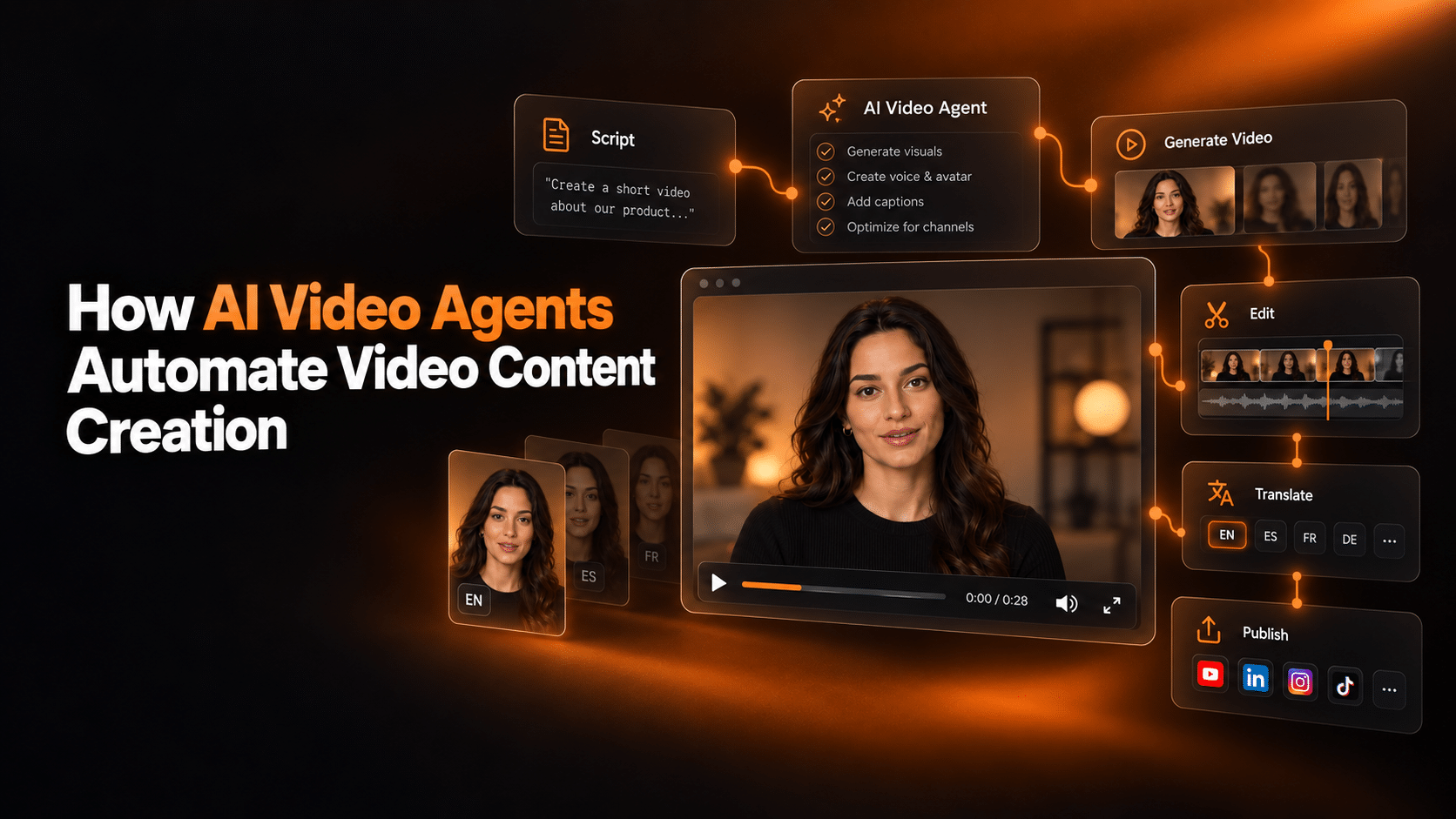
Key Takeaways
- An AI video agent runs the whole production chain from a single input. A video generator renders the one step you ask it for.
- An agent still works from instructions you set once: brand rules, approved source material, guardrails. What changes from run to run is the output it generates, not the rules it follows.
- The automated chain covers scripting, avatar and voice, rendering, and delivery. Human review moves to the edges: templates and inputs up front, spot checks afterwards.
- Automation pays off where the format repeats, such as outreach, training refreshes, localization, and recurring reports. One-off films and sensitive messages still belong to people.
- D-ID adds interaction after the render. With Agentic Videos, viewers can ask the finished video questions and get answers grounded in the script plus any sources you attach.
An AI video agent takes one input, a brief, a script, or a data feed, and runs the production chain from there: it drafts the script, picks an avatar and a voice, renders the video, and delivers the file where you want it. This guide covers how that chain actually works, which parts of it hold up in production today, and where you should keep a person in the loop.
What Is an AI Video Agent?
An AI video agent turns source material you already have into finished video without hands-on production work. It plans the script, selects an avatar and a voice, renders the footage, and delivers the file. A standard AI video generator executes one step when prompted. An agent runs the sequence and makes the routine decisions inside it.
That does not make an agent unsupervised. It works from predefined instructions: the brand rules you write once, the sources it may draw on, the formats it may produce, the things it must never say. The distinction worth holding on to is between those standing instructions and the output generated from them. The instructions are stable and human-authored. The script, the shot list, and the schedule are produced fresh on each run rather than assembled by hand.
The idea comes from research on agentic AI, meaning systems built on large language models that plan and carry out multi-step tasks instead of answering one prompt at a time. A widely cited survey of LLM-based autonomous agents documents that shift (Wang et al., arXiv:2308.11432). Video is where the pattern pays off quickly, because so much of the work between an approved idea and a published file is mechanical.
How AI Video Agents Automate the Content Creation Workflow
The chain starts with words. The agent drafts a script from your brief, source document, or data feed, following the rules you define once: tone, terminology, banned phrases, target length. Teams that skip this setup get generic copy. Teams that codify their voice get drafts an editor can approve as they are.
Next comes the on-screen presenter and the voice. The agent picks a stock digital human, D-ID lists 100+ stock AI avatars, or uses a personal avatar built from a short recording of a real person, paired with a synthesized voice or a cloned one. For the background on how these presenters are made, D-ID’s guide to how digital humans work covers the technology.
Rendering runs in the cloud with no editor in the loop. Through a REST API and webhooks, the finished file lands wherever the workflow says: your LMS, your CRM, a review folder, or straight into publishing. Wired to an automation platform or your own backend, the trigger can be a new CRM row, a calendar date, or an updated product document.
Human review does not vanish, it relocates. Early on, a person checks every output. Once a template has proven itself across a batch, review shrinks to spot checks, and for low-risk internal formats it becomes optional. Customer-facing, legal, and regulated content keeps a mandatory approval gate. That gate is what separates automated video creation from unattended video creation.
Five use cases where video agents already pay off
Personalized sales outreach
An agent connected to your CRM renders a short video per prospect: name, company, and the product they looked at, presented by the same face every time. In one D-ID campaign test in 2023, personalized video emails converted 300 percent better than the generic version sent to a comparable list. Treat that as one internal test on one campaign rather than a benchmark to plan against. Once the template exists, each additional video costs close to nothing to produce.
Training at scale
L&D teams turn policy and product documents into presenter-led modules, then re-render when the source changes instead of booking another shoot. Because the agent works from a template, a course stays consistent across locations. Where the training runs interactively, learners can ask the on-screen agent to explain a step again instead of filing a ticket.
Multilingual product explainers
One approved script becomes a localized video per market with no new filming. D-ID supports video creation in 120+ languages, with voice cloning available on paid plans to keep the same speaker identity across versions. The agent closes the loop: when the product changes, every language version re-renders from the updated source. Video translation is a separate feature with a much smaller language list, so check the count for the specific job before promising a market.
Social content pipelines
Feed the agent a content calendar or your blog’s feed and it returns platform cuts: vertical for TikTok and Reels, square for feeds, captioned by default. The pipeline runs daily without a producer touching each clip, which mostly moves the work to deciding what deserves a clip at all.
Recurring reports and data updates
Anywhere the source is structured data, an agent can publish video on a schedule: market recaps, weekly KPI summaries, or internal dashboards turned into a presenter update. A webhook fires when the data lands, the agent writes the summary, and the video renders before the meeting it was made for.
When an AI Video Agent Is the Wrong Tool
Automation earns its place when a format repeats, but a few situations call for a person on camera regardless of what the technology can do.
Unstable source material is the clearest case. An agent applies the same source to every output, so an error in the document propagates to every language version and every personalized variant before anyone notices. If the underlying policy or spec is still being argued about, wait.
Sensitive human messages are the second. Layoffs, incident communications, performance conversations, and safety briefings carry accountability, and an avatar delivering them reads as distance rather than efficiency. The same applies to anything a regulator may later read line by line, where a named human approver per video is cheaper than the alternative.
Then there is volume. Below a handful of videos a month, the template, the data feed, and the approval routing take longer to build than the videos take to make by hand. And for one-off creative work, a brand film or a campaign hero, most of the value sits in decisions an agent is not making: casting, pacing, the shot that carries the idea.
| What you are making | Why an agent fits |
|---|---|
| Personalized outreach at volume | One template, many rows of clean data |
| Training refreshes | Source document changes, module re-renders |
| Multi-market localization | One approved script, many language versions |
| Recurring reports | Structured data on a fixed schedule |
| Brand films and campaign heroes | Almost never; nothing repeats between films |
| Layoffs, incidents, safety briefings | No; the message is the accountability |
How to Integrate AI Video Agents Into Your Content Operation
Treat AI video content creation like a production line and define the inputs before you switch it on. The minimum set is a brand voice guide the agent can follow, approved terminology, one chosen avatar and voice, and the knowledge sources it may draw from, such as product documentation and your help center. For personalization, add a clean data feed. A CRM export with missing fields produces videos with missing names.
Then decide who approves what, per format, before you scale. A practical split: external and regulated content gets a named approver on every video, while internal templated content graduates to spot checks after its first error-free batch. Version your templates and prompts so a bad output can be traced back to its cause.
Finally, measure quality against the source rather than against taste. Check factual accuracy against the documents the agent worked from, and separate that from audience measures such as completion rate and click-through. For interactive video, the questions viewers ask are their own signal: they show where the script was unclear, which is usually cheaper to fix than the video itself.
FAQ
What is the difference between an AI video agent and an AI video generator?
A generator renders one video from the input you give it: you write the script, choose the presenter, and click render. An agent owns the whole job. It takes a goal, a brief, or a data feed, makes the routine production decisions itself, and delivers finished videos on a schedule or a trigger without step-by-step instructions.
Does an AI video agent work without a script?
Not exactly. It works without you writing one. The agent generates the script from the brief, document, or data you point it at, and it does so inside instructions you set in advance: tone, terminology, approved sources, things it must not claim. So there is no fixed script, but there are fixed rules, and the quality of the output tracks the quality of those rules.
What content types can AI video agents create automatically?
Anything with a repeatable structure: personalized sales and outreach videos, onboarding and training modules, product explainers, social clips cut per platform, and data-driven updates such as weekly reports. The common thread is a stable template plus changing inputs. One-off brand films with high creative stakes still need human craft.
How do AI video agents handle personalization at scale?
They merge a template with per-viewer data. The agent pulls fields such as name, company, or plan from a CRM or a spreadsheet, adapts the script for each recipient, and renders one video per row. The limiting factor is data hygiene rather than rendering capacity.
What role do digital human avatars play in agentic video?
Avatars give automated video a consistent on-screen presenter without filming anyone. An agent picks from stock presenters or uses a personal avatar built from a short recording. Avatar types and their availability differ by vendor and by plan, so check what your plan includes before you design a format around a particular type.
How do AI video agents integrate with existing workflows and tools?
Through APIs and automation platforms. A trigger fires in a tool you already use, the agent renders the video through an API call, and a webhook returns the file to your CMS, LMS, or CRM.
Where D-ID Fits In
On the production side, D-ID’s AI Video Generator and the D-ID API turn text into avatar-led video and can be driven entirely from other systems, which is what makes a scheduled or triggered pipeline possible. On the interaction side, D-ID’s AI agents are conversational avatars grounded in your own documents through retrieval augmented generation.
Pick one repeatable format, such as a weekly product update or a personalized outreach template, and automate that first. Define the template, the input source, and the approver before you build anything. Run one batch through full human review before you loosen the gate, and measure the output against the source document rather than against taste.
If you want to try this with D-ID, create a free account in D-ID Studio and wire your first template to a trigger through the API. For a larger rollout with compliance requirements, talk to the D-ID team.

Was this post useful?
Thank you for your feedback!