Interactive
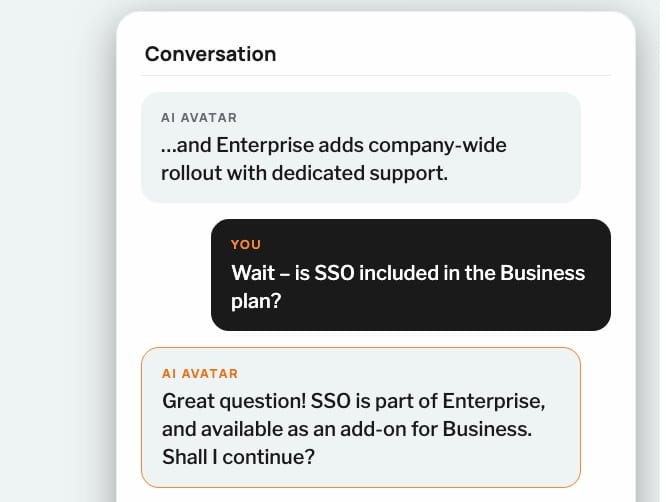
Interrupt anytime.
Viewers can stop the presentation, ask a question, and get an answer on the spot. Then the Agent picks up where it left off.

New from D-ID Presentation Mode
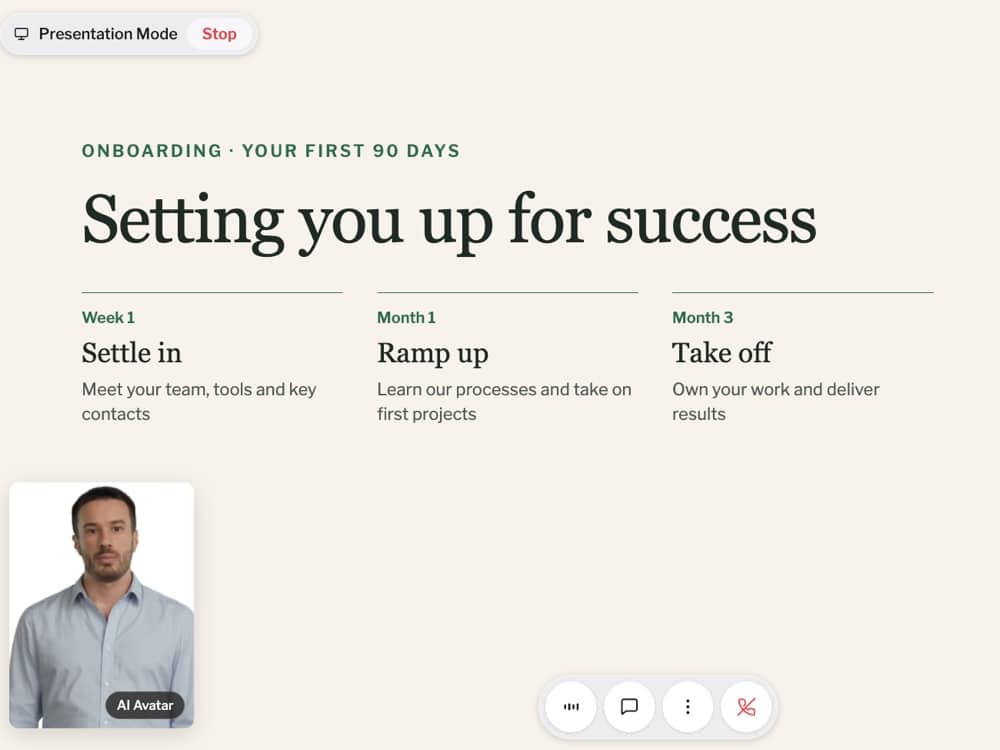
Turn any slide deck into an interactive presentation with an AI presenter. Your AI avatar agent guides the audience through your slides, while viewers can ask questions at any time, get answers in real time, and explore the topics that matter most to them.
We could tell you about Presentation Mode. But we’d rather let Presentation Mode tell you.
Benefits
Static decks get skimmed, forwarded, and forgotten. Presentation Mode gives every viewer an AI avatar agent that presents the material and answers questions in real time.
Interactive
Viewers can stop the presentation, ask a question, and get an answer on the spot. Then the Agent picks up where it left off.
Effortless
Upload a PDF or PowerPoint file, or paste a public Google Slides link, and D-ID generates the speaker notes automatically. No scripting, no recording, no rehearsal.
Insightful
Every session is saved with its full transcript: every question your audience asked and every answer the Agent gave. Review it in D-ID Studio, export it as a CSV, or share it with your team.
How it works
Upload a PDF or PowerPoint file, or paste a public Google Slides link. Decks can contain up to 100 slides.
D-ID generates speaker notes for every slide. Tell your Agent who the audience is, what the goal is, and how to pace the presentation. For example, you can ask it to check in for questions every third slide.
Send the link. Your Agent starts presenting, answers questions and saves every conversation to Insights.

Use cases
Sales
Let prospects explore your presentation at their own pace, ask questions, and get answers in real time. Gain insight into what matters most to them before your next conversation.
Training & onboarding
Let employees learn at their own pace, ask questions, and get immediate answers. Make training more accessible and help reinforce understanding.
Product marketing
Showcase new products and features while giving prospects the freedom to ask questions and dive deeper into the details that matter most to them.
Internal communications
Share company news, strategy, and important announcements while giving employees the opportunity to ask questions and get answers on the spot.
FAQ
A D-ID feature that turns a slide deck into an interactive presentation. An AI Agent presents your slides and answers viewers’ questions in real time.
No. Upload your deck and D-ID generates the speaker notes automatically. You can edit them before sharing.
Upload a PDF or PowerPoint file (.pptx), or share a public Google Slides link. Decks can be up to 100 MB and 100 slides.
The Agent pauses, answers using your presentation content, then continues from where it stopped.
Yes. Every session appears in your Agent’s Insights page in D-ID Studio with its full transcript, including every question and how the Agent answered. You can export conversations as CSV and share Insights with teammates by link.
Presentation Mode isn’t limited to a specific plan.
Yes. Presentation Mode runs on standard D-ID Agents, so you get the same avatars, voices and languages as any D-ID Agent. You can also tell it who the audience is, what the goal is, and what pacing, check-in style and tone to use. It can start presenting automatically when a session begins.
Upload a deck and turn it into an interactive experience in minutes.