
AI Video for Customer Support: How to Choose the Right Platform

Key Takeaways
- Three types, three roles
Pre-recorded videos, chatbots, and real-time agents each serve different support needs. - Interactivity drives real value
The biggest impact comes from AI that can handle real conversations, not just scripted replies. - Human quality matters
Tone, expressiveness, and natural language directly affect trust and user experience. - Integration is key
Without CRM and helpdesk integration, AI video won’t scale in real support workflows.
Customer expectations for support have never been higher. And that’s exactly where AI video can make a real difference.
People now expect immediate answers, no matter the hour or channel. Increased demand has pushed companies to explore a new frontier: AI video agents that can deliver human‑like support.
But not all AI video tools perform equally. Some look impressive in demos but fall short in real‑world support workflows.
Choosing the right one means knowing which type fits your needs and which features truly impact day-to-day customer interactions.
Let’s take a look at what you need to know about AI video for customer support. We’ll break down the three video types, key features to prioritize, and real-world examples so you can pick the right platform.
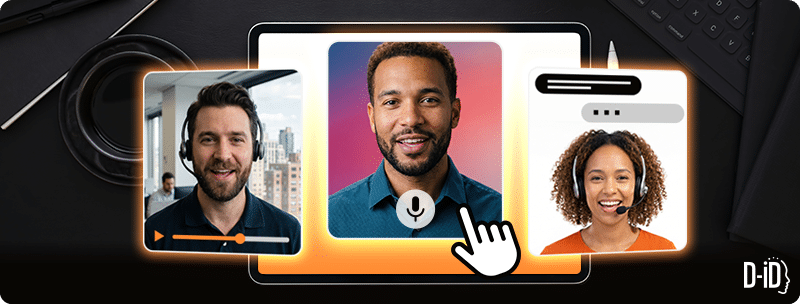
The three types of AI videos for customer support
Before diving into features, it helps to understand what kind of AI video solution you’re dealing with. Each category serves a different role in your support stack.
1. Pre-recorded AI video explainers
Pre-recorded AI explainer videos are like your own digital welcome hosts.
They deliver scripted answers or onboarding instructions using a pre‑written video. There’s no back-and-forth conversation. They’re great for FAQ pages, how-to tutorials, and onboarding sequences that don’t need live responses.
They’re also especially helpful when you need to guide customers through something complicated.
Take insurance as an example. Instead of sending a long email, you can create a video tutorial that walks someone through how to switch their car insurance, step-by-step.
The video can greet them, explain which documents they need, and show how their premium might change. If the video is clear and easy to follow, it can help nudge potential customers to sign up. And reduce basic support tickets.
2. AI video chatbots
AI video chatbots read from a knowledge base and handle predictable questions. These might be about order tracking, account setup, or password resets. Because users see a friendly face instead of a text bubble, they can help build trust.
This video type works well for tier-1 support with low query variation.
One of the most useful applications of AI video is in healthcare. Think about a busy clinic. A medical receptionist often spends hours answering the same questions about parking, check-in steps, and insurance forms.
An AI video for customer support can take over these repetitive questions. You can place it on your website so patients get quick answers, while your staff gets time back to focus on urgent needs and patient care.
3. Real-time interactive AI video agents
Interactive AI video agents respond conversationally to open-ended questions. They can understand context and even adjust tone mid-conversation.
They’re essentially virtual assistants with a more human touch.
Real-time interactive AI video agents also have a strong use case for technical topics such as vulnerability management. This area is often hard to follow, especially for people who don’t work in security every day.
Instead of asking users to read dense reports, virtual assistants can walk them through issues in real time. Users can ask questions and get explanations of what the risk means, what could happen, and what to do next.
Since these avatars are hyper-realistic and conversational, they create a more natural, engaging experience that builds trust and keeps users engaged longer.
This is where differences between platforms become the most obvious and most important to evaluate.
Curious to learn more? Read about our enhanced D-ID visual agents.

What to look for in an AI video customer support tool
Now that we’ve run through the must-know video types, here’s what to look for when choosing an AI video tool for customer support. 👇
Avatar expressiveness and emotional tone
- Ever dealt with a flat, robotic avatar during a billing dispute? It feels cold and makes things worse.
- Look for platforms that shift tone with context. (E.g., calm and reassuring to de-escalate issues, and direct and clear for step-by-step instructions.)
- Picture a fintech help center where an expressive avatar cuts billing escalations just by delivering answers with natural warmth. Platforms like D-ID train on real human performances so the emotional delivery matches the message.
When evaluating platforms, test how the avatar handles tone shifts across three scenarios: a complaint, a technical explanation, and a billing clarification. Most tools perform well in scripted demos but break in unscripted interactions.
Learn more about D-ID’s Expressive AI avatars.
Multilingual video delivery and lip-sync accuracy
- Global support teams need avatars that sound native in multiple languages.
- Lip-sync accuracy is where many tools fall short. There’s a meaningful difference between translation and native-language voice delivery. And customers notice immediately.
- Think of a retail brand rolling out one agent across six European languages. Flawless lip-sync and tone can help it feel local everywhere.
Real-time interactivity
- Can the avatar handle back-and-forth chat? Or does it loop to a scripted fallback after one follow-up question?
- True depth in natural language understanding can help turn support queries into resolutions and prevent handoffs to a human customer support rep.
- For example, a SaaS team could slash tickets by using interactive agents for customer onboarding.
Helpdesk and CRM integration
- An AI agent sitting outside your support stack is a novelty tool. Look for native integrations with the platforms your team already uses, like Zendesk, Salesforce, Intercom, and HubSpot.
- Native integrations enable the AI agent to retrieve customer history, personalize responses, and automatically log interactions.
- Without native integrations, your team ends up managing two systems instead of one.
Need help picking a tool? D-ID visual agents offer real-time responsiveness, emotional expressiveness, and depth of integration.

Wrap up on the AI video for customer support
AI-driven customer support helps both teams and customers get the support they need.
Platforms that deliver real value at scale come down to three factors:
- How human and expressive the avatar feels.
- How naturally it handles complex, multi‑turn conversations.
- How seamlessly it fits into the tools your team already uses.
Start your search by evaluating those areas and ignore the rest of the noise in the market. And to see what a video production-grade platform looks like, explore D-ID’s Visual AI Agents.

FAQ
-
A regular chatbot gives scripted answers. An interactive AI video agent has a conversation. It understands context, responds naturally, and feels more human.
-
Yes. Many AI video tools integrate directly with Zendesk and Salesforce, enabling them to pull customer data and automatically log conversations.
-
Not at all. AI video agents handle simple, repetitive questions so your team can focus on more complex issues.

Was this post useful?
Thank you for your feedback!