
Introducing V4 Expressive Visual Agents
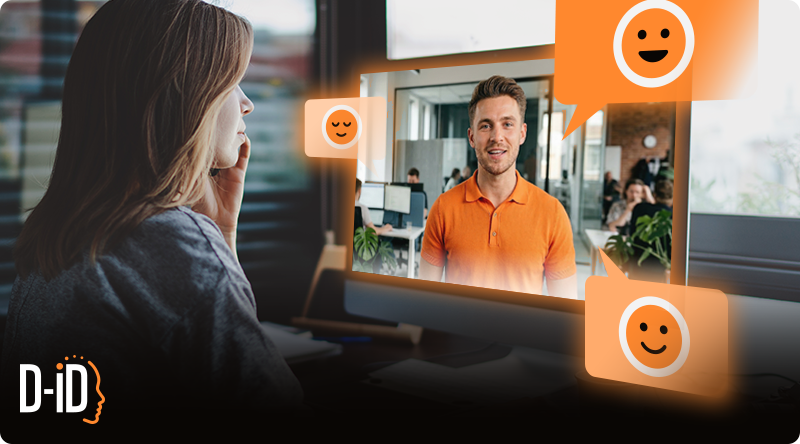
Real-time, emotionally intelligent conversations with V4 Expressive Visual Agents. Built for product-grade scale.
Key Takeaways
- V4 Expressive Visual Agents bring emotion into live, two-way conversations—not just pre-rendered videos. They combine expressive digital humans with an LLM “brain” for real dialogue streamed in real time via WebRTC.
- They’re designed for “face-to-face” interaction at low latency, so the experience feels like a conversation, not a sequence of delayed clips.
- You can define avatar, voice, and agent behavior in one setup, then deploy across use cases like support, training, internal comms, and marketing flows.
- They’re measurable by default: export conversation logs as structured JSON for analytics, QA, and product iteration.
Digital humans have already proven their value in business communication: faster content production, consistent messaging, scalable localization, and always-on presence. But the moment you move from “presenting” to “conversing,” the bar changes. Users don’t just watch. They interrupt. They ask follow-ups. They challenge assumptions. They expect the response to land with the right tone—and to arrive fast.
That’s where V4 Expressive Visual Agents come in. They take the emotional control and realism of expressive avatars and extend it into real-time, interactive experiences—streamed live, powered by an LLM, and built to slot into real customer journeys (web, apps, kiosks, internal portals) rather than living as a demo.

Why Emotional Intent Drives Business ROI
In business, “emotion” is not about theatrics. It’s about clarity and trust. The same sentence can reassure or escalate depending on how it’s delivered. In high-stakes moments—support, billing, onboarding, healthcare, financial decisions—tone is part of the product.
Now add the conversational layer. In live interactions, emotion becomes even more consequential because the user is reacting in the moment. If the agent feels flat, robotic, or “off,” the user disengages. If it feels aligned—confident when it should be, empathetic when it needs to be, crisp when it’s time to move—the conversation becomes easier to follow, more credible, and more likely to end in resolution.
V4 Expressive Visual Agents are built around that idea: the face, the voice, and the response timing need to work together—in real time.

What Makes V4 Expressive Visual Agents Different
Expression Based on Real Human Performance
The goal isn’t to “add emotions.” It’s to enable believable delivery that matches intent. V4’s expressive stack is designed for controllability and realism, so the agent can consistently convey the emotional posture you want—across a full response, not just a single word or moment.
In practice, this is what turns an agent from “talking head” into a presence that feels capable of handling real conversations.
Natural Timing, Lip Sync, and Turn-Taking
In real-time conversations, timing is UX. A great answer delivered too late (or with awkward pacing) doesn’t feel great anymore.
V4 Expressive Visual Agents are built to support live dialogue—where the response is generated by an LLM and then performed on an avatar with natural pacing and synchronized speech-to-face animation. The experience is streamed as a real-time session, so it feels like an interaction rather than a render pipeline.
Voice, Visuals, and Reasoning Developed as One System
A visual agent is not “an avatar” plus “a chatbot.” It’s a system that has to orchestrate conversation flow, preserve context, and translate a response into speech and performance—continuously.
With D-ID Agents, you configure the LLM as the agent’s brain (built-in models, external provider keys, or a custom OpenAI-compatible endpoint), and D‑ID handles conversation flow and message history routing.
You also define the avatar and voice as part of the same agent configuration, so behavior and presentation stay aligned.
Real-Time Streaming That’s Product-Ready (Not a Prototype)
V4 Expressive Visual Agents are delivered as real-time sessions using the D-ID Client SDK, which handles WebRTC streaming and provides a simple chat interface.
That matters because the “agent experience” is not just model quality—it’s the entire interaction loop: connection, latency, turn-taking, and reliability.

How Expressive Visual Agents Are Used
Creating an Expressive Visual Agent
At a high level, you’re defining three things: how the agent looks, how it sounds, and how it behaves.
A typical setup flow looks like this:
- Choose an avatar/presenter (the “face”) and define the default presence (idle behavior, visual style).
- Select a voice that matches your brand and audience.
- Choose the LLM configuration (built-in, external keys, or custom) and write the agent’s instructions (role, tone, boundaries).
- Optional but powerful: add a knowledge base (RAG) so the agent answers using your documents, policies, and product info.
Running Real-Time Agent Sessions
Once your agent exists, you can bring it to life in a live environment.
The real-time path is straightforward:
- Create a client key (domain-restricted for frontend usage).
- Use the D‑ID Client SDK to connect a video element and initiate a WebRTC session.
- Send messages via chat() for normal conversation, or speak() when you want the agent to deliver a specific scripted line.
That’s the core difference versus expressive avatar videos: Visual Agents are designed for live, two-way interaction, not one-way playback.

Top Business Applications for Emotionally Intelligent Visual Agents
Learning and Development
Application: interactive onboarding, scenario training, roleplay coaching
The V4 advantage: learners can ask questions mid-flow, get clarifications instantly, and practice realistic conversations with an agent that can hold tone—supportive, firm, encouraging—without breaking character.
Marketing and Sales
Application: website agents for product discovery, qualification, and conversion support
The V4 advantage: instead of a static explainer or a text chat bubble, visitors can talk to a face that answers questions in real time—confident when presenting value, curious when qualifying, and concise when guiding to the next step.
Internal and Leadership Communication
Application: internal comms agents, policy assistants, IT/HR portals, leadership Q&A
The V4 advantage: employees get answers quickly, but the delivery also matters: clear when sharing policy, empathetic during change management, and calm during high-pressure moments.
Customer Support
Application: front-line triage, guided troubleshooting, account/billing support, escalation routing
The V4 advantage: support is where tone and speed are most tightly coupled. A well-tuned visual agent can reduce friction by acknowledging the user’s state, walking them through resolution steps, and escalating gracefully when needed—while still feeling human and present.

Why Expressive Visual Agents Matter Now: Scaling Without Flattening
Extending the Human Reach
Teams are being asked to do more with less: more channels, more languages, more personalization, more support coverage. Visual Agents help scale presence without scaling headcount—but only if the experience feels credible enough to represent your brand.
That’s why expressiveness matters. It’s what keeps a scaled interaction from feeling like a downgrade.
The Missing Piece of the Digital Puzzle
We’ve had chatbots. We’ve had avatars. We’ve had LLMs. The leap is bringing them together into a live experience that feels like a conversation: low-latency streaming, consistent personality, controllable delivery, and knowledge-grounded answers.

Ready to Humanize Your Digital Conversations?
If you’re building real-time customer experiences, internal support tools, or interactive training, V4 Expressive Visual Agents are designed to help you deploy a digital human that can actually hold a conversation—fast, expressive, and measurable.

FAQs
-
A real-time conversational AI agent with a digital avatar—powered by an LLM and streamed live so users can talk to it face-to-face.
-
Expressive avatars are optimized for generating videos. Expressive Visual Agents use the avatar in a two-way, real-time session—so the user can ask questions and get responses live.
-
The agent runs as a live session streamed via WebRTC using the Client SDK, enabling conversational turn-taking and immediate on-screen responses.
-
Yes. D‑ID supports built-in models, external provider keys, and custom LLM integrations via an OpenAI-compatible endpoint.
-
Yes. You can create a knowledge base with RAG by uploading documents, then attach it to the agent.
-
You can export conversations as a downloadable ZIP of JSON chat logs, suitable for analytics, QA, and iteration.
-
The platform is built around a deployable real-time stack: agent definition, session streaming, optional RAG, configurable LLMs, and exportable logs.
-
Start by creating an agent (avatar + voice + instructions), then run a real-time session through the Client SDK.
Was this post useful?
Thank you for your feedback!