
How to Add an AI Chatbot with a Human Face to Your Website

Most websites are created with good intentions. Clean menus, a structure that looks logical and plenty of information in all the expected places. Yet many visitors arrive with a simple question, fail to find the answer quickly and decide to leave. Not because the product is wrong for them, but because the path to understanding it required more patience than they had in that moment.
This is where an AI chatbot for website environments changes the experience. Instead of asking visitors to search through links, the chatbot becomes a direct way to ask a question. It feels more like a conversation than a browsing task. And when that assistant has a human face and a calm voice, the interaction starts to feel familiar, almost like someone guiding you through a showroom.
The best part is that adding such an AI chat bot is much easier than it used to be. What once required several rounds of chatbot development can now be done through a simple setup that takes less time than writing a long email. The next sections walk through how these systems work, why they help visitors convert and how to add one to your own site without turning it into a complicated project.
What Is an AI Chatbot?
An AI chatbot is essentially a conversational layer on your website. Instead of forcing visitors through long navigation paths, it lets them say what they need in plain language. Questions like “How does billing work” or “Which plan is right for a small team” or “Does this integrate with my setup” become easy starting points.
Older bots were based on rigid rules. If you did not type the exact keyword they expected, they froze. Modern AI chatbots read the intention behind the question and can continue the conversation naturally. Users often comment that it simply feels easier to ask the chatbot than to hunt down the answer themselves.
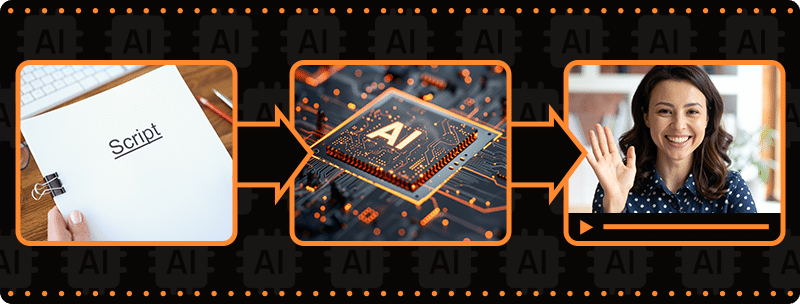
Once you add a human face to the chatbot, the interaction becomes more intuitive. Visitors are used to learning by watching and listening to people. An avatar that speaks and responds provides something text rarely achieves, which is a sense of presence. If you want a clearer definition of how this works, this glossary entry on AI avatar chatbots explains the concept in more detail.
For more context on how visual chatbots compare to earlier systems, this article gives a helpful breakdown.
Why Human-Like Chatbots Convert Better
Most people do not want to decode a complicated website when they are just trying to figure something out. They want someone to point them in the right direction. A human-like chatbot offers that sense of direction without adding friction.
A communication style people already know
Hearing an avatar explain something feels closer to a real interaction. Visitors do not have to adjust their communication to match the tool. The tool adjusts to them.
A lower barrier for asking questions
Typing into a text box can feel stiff, especially when you are unsure how to phrase something. A speaking avatar softens the experience and makes asking questions feel more natural.
Better explanations for complex ideas
Some topics do not translate well to text. Many users understand things faster when they hear a short explanation spoken directly to them.
Longer and more meaningful engagement
Visitors who find clarity early tend to stay longer and explore more. This usually leads to better conversion rates.
A more personal touch
Small expressions from the avatar make the interaction feel warmer and more supportive. Even subtle gestures can make a surprising difference.
If you want to explore the impact of visual agents further, here is a detailed article.
Core Features of a High-Performing AI Website Chatbot
Many tools claim to be modern chatbots, but only a few deliver an experience that genuinely helps visitors. These features are the ones that consistently matter.
Strong natural language understanding
Visitors rarely write in perfect sentences. They skip words, use slang, correct themselves halfway through or ask follow up questions that depend on earlier context. A strong chatbot handles these things smoothly.
A believable avatar with natural expression
A human-like chatbot is most effective when the avatar does not feel stiff. Small movements, natural pacing and clear audio help the visitor feel more at ease.
Support for multiple languages
If your audience is international, multilingual communication becomes essential. A chatbot that speaks several languages naturally helps visitors feel included from the start.
A knowledge base drawn from your real content
A chatbot can only answer accurately if it has access to your real material. This includes help center guides, product documentation, onboarding steps and anything your support team uses regularly.
Short video responses that make information easier to follow
A spoken explanation often helps visitors understand a topic more quickly than a long text reply. The avatar presents information in a friendlier and more digestible way.
A setup that does not require advanced skills
Modern tools no longer require deep chatbot development experience. Most platforms allow you to embed the chatbot through a short snippet of code so you can add it to your site without relying heavily on your engineering team.
To explore different conversational AI options, you might find this overview helpful:
https://www.d-id.com/blog/best-conversational-ai-solutions/
Step-by-Step: Adding a Human-Facing AI Chatbot to Your Website
Setting up a chatbot with an avatar is simpler than it sounds. You do not need technical depth to do it well.
1. Choose a platform that supports expressive avatars
Not all chatbot tools can display a human face or generate spoken responses. If you want a chatbot that talks through an avatar, pick a platform built for that purpose.
2. Define the chatbot’s main purpose
A chatbot that aims to handle every possible situation becomes unfocused. Pick one primary goal. It could help new visitors explore your product, support onboarding, explain pricing or answer common support questions. A focused chatbot tends to perform better.
3. Add the information your visitors usually need
Look at your support tickets and most viewed help articles. This content should be part of what your chatbot learns. When the bot has access to accurate information, it responds with confidence.
4. Select an avatar that fits your brand personality
Some companies use a friendly and casual avatar, others prefer a more polished and formal one. Either approach works if the avatar communicates clearly and aligns with your tone.
5. Embed the chatbot into your website
Most platforms give you a short script that you paste into your site. You can place the chatbot on pages where people tend to ask questions. These often include your homepage, pricing page, feature overviews and help center.
Before you go live, it’s worth running through a quick AI deployment security checklist (prompt injection, data exposure, abuse prevention).
6. Test the chatbot with real users
Have colleagues or customers try it. Let them ask the kinds of questions they would normally ask when visiting your site. This helps you identify areas where the responses need refinement.
7. Improve the bot over time based on insights
Once your chatbot is live, the conversations will reveal common misunderstandings and recurring questions. These insights let you fine tune the bot’s responses and improve the experience gradually.

AI Chatbot for Websites Use Cases
Avatar chatbots are used across many industries because they reduce confusion and increase clarity. Here are a few examples.
E-commerce
Visitors often want reassurance about things like sizing, delivery time or returns. A chatbot that explains these topics clearly helps people make confident choices.
Software and SaaS
Software products can feel overwhelming. An AI chat bot can guide visitors through features, explain the differences between plans or help them get started.
Education
Prospective students want answers about programs, applications and schedules. A chatbot offers quick clarity without forcing them to search through pages of text.
Healthcare
Healthcare websites contain a lot of administrative information. A chatbot can help visitors understand preparation steps, insurance details or appointment requirements.
Real Estate
People browsing properties want quick answers about financing and viewing options. A chatbot helps them understand what to do next.
Travel
Travel planning often comes with many questions. A chatbot can guide visitors through possible routes, itineraries or accommodation details.
Finance
Financial products sometimes feel confusing. A chatbot can explain account types, fees or onboarding steps in clear language.
Next Steps: Deploying a Human-Like AI Chatbot with D-ID
If you are considering adding an avatar chatbot to your own site, getting started with D-ID is straightforward. Create your chatbot, choose an avatar, upload your content and embed it. You focus on shaping the visitor experience while the platform handles the technical details.
The result is a website that feels more helpful. Visitors get answers quickly, onboarding becomes smoother and your support team does not spend as much time repeating the same explanations.
If you want to try it out, you can create an account or contact the team.
FAQs
-
Visitors get faster answers and are less likely to leave early. Your support team handles fewer repetitive questions.
-
Upload your documents, pages or help articles. The chatbot reads them and uses the information when responding.
-
Yes. Many modern chatbots can speak and understand several languages.
-
They cover repetitive questions well but human agents are still important for complex or sensitive situations.
-
Usually under an hour. Most of the work is deciding which content the chatbot should learn.
Was this post useful?
Thank you for your feedback!