
Creative Reality™ Studio 3.0
Use Generative AI to efficiently create avatar-driven videos


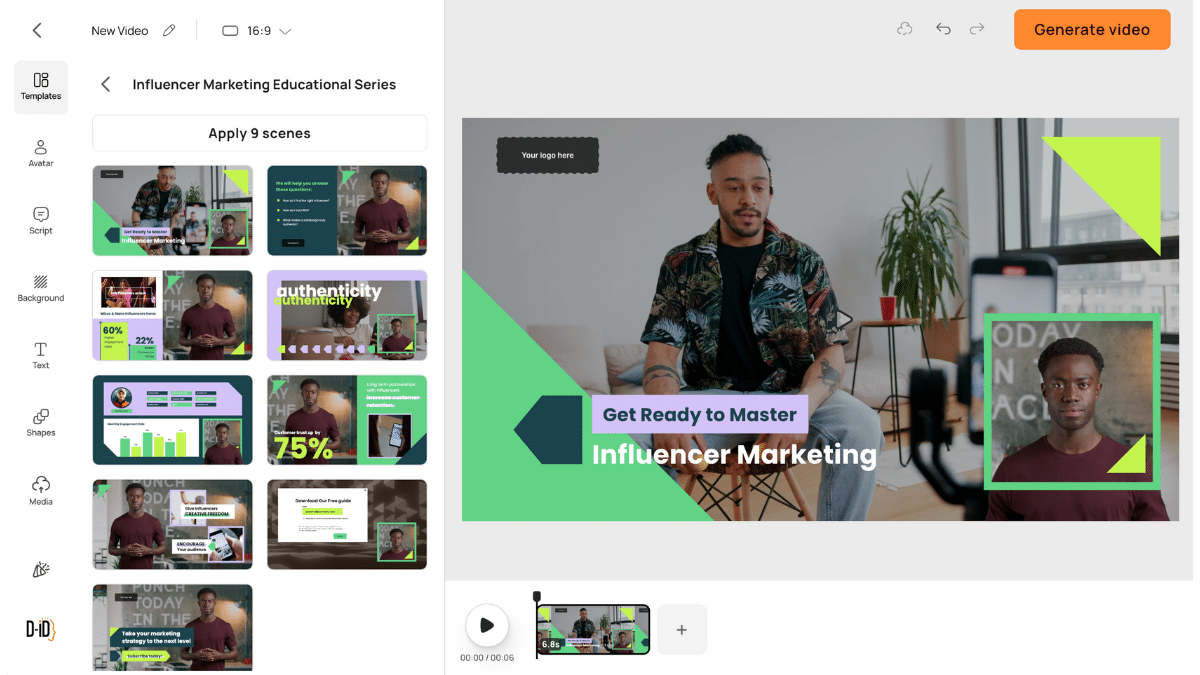
Create avatar-driven videos with Generative AI
Transform text, audio, or still images into high-quality videos with lifelike digital avatars—no cameras or crews needed. Easily create engaging content for marketing, training, social media, and internal communications.
Add a human-like presenter to any video
Choose from a variety of multilingual business and casual AI avatars with realistic expressions, gestures, and speech, adding them to your video at the click of a button.
Effortlessly reach a global audience
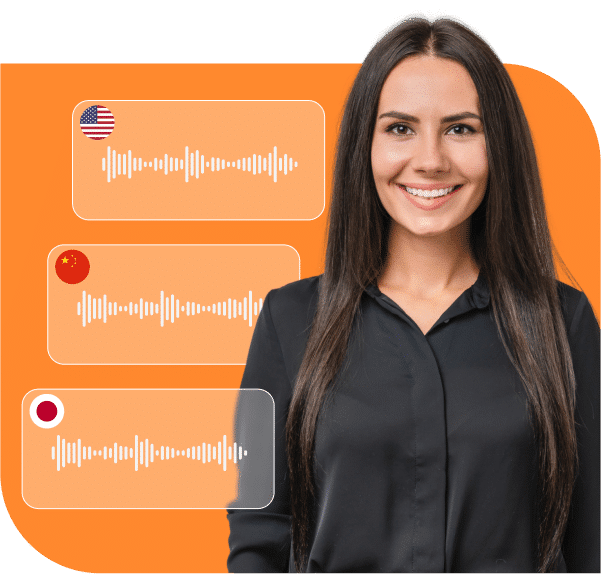
In addition to AI voices, automatically create videos with your own voice using voice imitation. Translate your videos (with your own voice!) into 40+ languages. Record a video in your native language, select the language(s) you need to translate to and hear yourself speak another language!
Every video automatically reflects your brand
Automatically incorporate your company’s colors, fonts, backgrounds, and logos into every video. Or create a fully tailored experience by adding specific product images, real workplace backgrounds, and branded corporate characters.
The AI video maker for all your corporate communications
Translate existing videos into multiple languages
Translate every video into multiple languages in just a few clicks. The speaker’s voice is realistically cloned and lip movements are adapted to match each language.
Boost your marketing outreach
Create personalized videos with customizable scripts and dynamic fields, generated in real time. Choose from stock avatars or create your own, select from hundreds of languages and voice styles to match your brand, and fully customize the video landing page with your colors, text, logo, and call to action.
Enterprise-ready from day one
Security, governance, and global reliability built into every part of the platform.

Certified and compliant
ISO 27001, TISAX, SOC 2 aligned, and fully GDPR-ready — so your data stays protected and your legal teams stay confident.

Data privacy you can trust
Your videos, scripts, documents, and avatars remain yours. We never use your content for model training, and all data is encrypted in transit and at rest.

Built for global scale
A secure, distributed infrastructure ensures fast performance and high availability for teams around the world — whether you’re creating 10 videos or 10,000.

Governance and control for every team
Role-based permissions, brand guardrails, shared asset libraries, and admin controls keep creation safe, consistent, and compliant across the entire organization.

AI you can deploy with confidence
Transparent content ownership, responsible avatar generation, and strict privacy controls make the platform safe for sensitive use cases and regulated industries.
AI Video FAQs
-
D-ID’s Creative Reality™ Studio is a self-service platform featuring the best generative AI tools to enable users to create videos with moving and talking avatars. Combining the powers of D-ID’s deep-learning face animation technology with LLM text generation, and text-to-image capabilities, the Creative Reality™ Studio is an all-in-one platform for those seeking to create cutting-edge videos with the power of artificial intelligence.
The Creative Reality™ Studio is available on desktop and mobile. -
The Creative Reality™ Studio was developed for businesses and individual content creators who want to use avatars to create AI videos featuring digital humans for a wide range of commercial and creative purposes.
-
All videos are generated in MP4 format
Output video resolution depends on the AI Presenter you are using
Standard AI Presenter output resolution is up to 1280×1280 pixels on all plans
Premium AI Presenter (marked with an HQ badge) output resolution
Lite plan – Premium presenters not supported
Trial, Pro, Advanced and Enterprise plans – 1080p -
When using D-ID Creative Reality Studio or D-ID API, the video length is limited to 5 min.
-
- When using D-ID Creative Reality Studio or D-ID API, the image size is limited to 10 MB.
- Supported formats – JPEG, JPG, PNG
-
There are three ways to animate faces on the Creative Reality™ Studio
- Select from one of the existing pre-made avatars
- Upload a facial image
- Use our Stable Diffusion-powered text-to-image portrait generator – Image prompting is a mix of art and science. Our image-generating software is optimized to produce faces that can be animated in the studio, but there is a lot of room for creativity. To get started, we suggest you select one of the pre-created prompts and try out variations of those. Alternatively, try searching for prompts and inspiration on Lexica or numerous prompt-building platforms available online.
-
Image prompting is a mix of art and science. Our image-generating software is optimized to produce faces that can be animated in the studio, but there is a lot of room for creativity. To get started, we suggest you select one of the pre-created prompts and try out variations of those. Alternatively, try searching for prompts and inspiration on one of numerous prompt-building platforms available online.
-
Please go to the Account page in the studio, and generate your API key. Note that it is mandatory to have valid credits in your account to use the API.
-
We have an API tailored for this purpose – API is available here.
For your reference, we also have a code sample that can be used as a baseline for implementing such a solution – can be viewed here.